Chibi for Beginners Course - Social Impact
Chibi for Beginners Course reached over 1,600 Burmese youth with a free mobile-first art curriculum, creating access to creative education during political unrest through video tutorials, printable exercises, and community feedback loops.
EdTech
Social Impact
Product & Project Management
Design & Prototyping
Design Thinking
Program Design
Product Design
Accessibility
Human-Centered Design
Emotional Design
Overview
When Myanmar’s education system collapsed during the 2021 military coup, millions of young people were left isolated, anxious, and without access to creative learning.
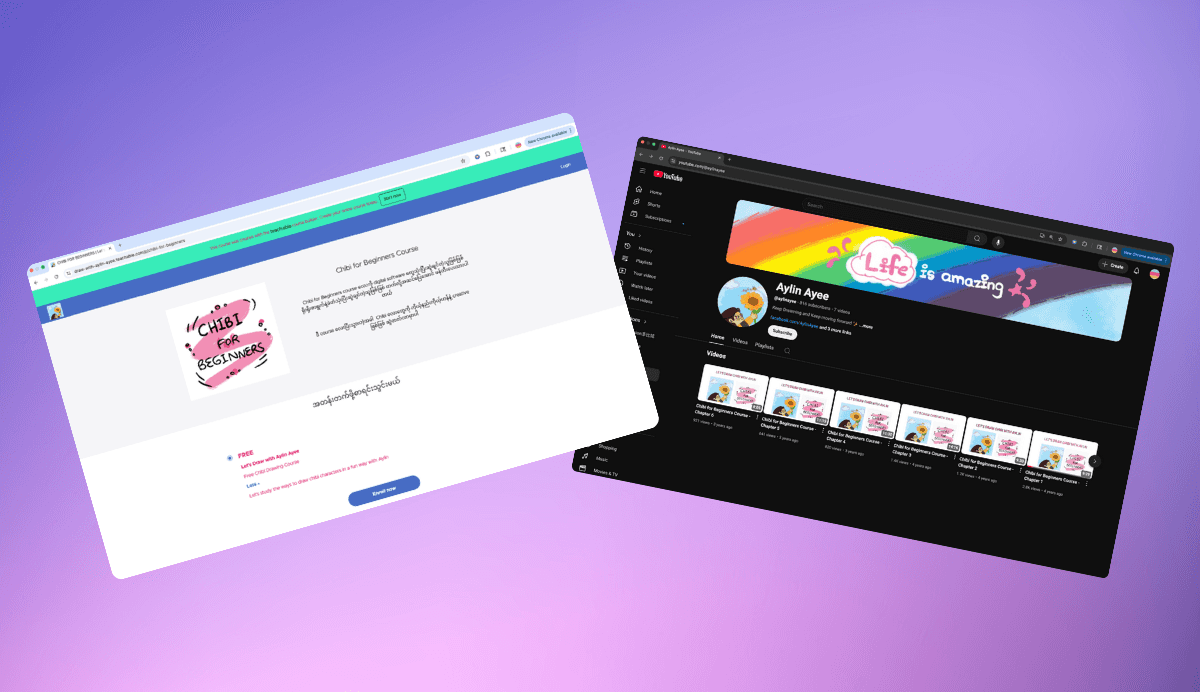
I created Chibi for Beginners, a free mobile-first art course designed to bring joy and emotional safety back to learning. It started as live Zoom art sessions in April 2021 with a few Burmese students and grew into a structured online program hosted on Teachable and YouTube.
By December 2022, the course had reached more than 1,600 Burmese youth, combining video tutorials, printable worksheets, and community feedback loops. It became a creative refuge and an early model of accessible, trauma-informed digital learning for youth in crisis.
The Problem
After the coup, students were confined at home with no formal schooling, limited internet, and few safe outlets for expression.
Art offered emotional relief, but access to creative education was almost nonexistent.
Most content was in English and required stable Wi-Fi.
Existing platforms were heavy on tools and light on emotional connection.
Young learners craved something uplifting and simple.
Design Challenge:
How might we design a low-bandwidth, mobile-friendly art course that makes learning playful, expressive, and emotionally safe for Burmese youth under crisis conditions?
Research & Insights
I joined Burmese Facebook communities where teachers and parents were organizing informal classes. Through more than 30 conversations and polls, I gathered insights about learning behavior, emotional needs, and accessibility challenges.
Findings:
Learners weren’t looking for professional art training. They wanted something fun that helped them cope.
Parents wanted safe, screen-based activities to reduce anxiety.
Limited bandwidth meant the learning experience had to be lightweight and mobile-first.
From these insights, I developed the project’s design principles:
Make it easy. Make it expressive. Make it feel like play.
Product Vision & Goals
Vision:
To help youth in Myanmar rediscover confidence, creativity, and connection through accessible art learning that is fun, inclusive, and mobile-friendly.
Goals:
Accessibility: Ensure the course works smoothly on low-end smartphones.
Engagement: Keep lessons under five minutes with immediate creative output.
Emotional Uplift: Use art to reduce stress and foster positivity.
Community: Create peer motivation through feedback loops.
Frameworks Used:
Design Thinking (Empathize → Define → Ideate → Prototype → Test)
Backward Design Framework (start with emotional outcomes and build lessons backward)
MoSCoW Prioritization for feature planning
Timeline and Product Evolution
Phase | Period | Focus | Key Deliverables |
|---|---|---|---|
Phase 1 – Live Pilot | April to June 2021 | Tested concepts through live Zoom art classes | 10 interactive sessions and user feedback |
Phase 2 – MVP Build | July to October 2021 | Developed structured online modules | 3 pilot lessons and printable worksheets |
Phase 3 – Platform Launch | November 2021 to May 2022 | Hosted full course on Teachable | 8 modules and mobile UX optimization |
Phase 4 – Expansion and Iteration | June to December 2022 | Adapted content for YouTube to improve accessibility | Course migration and community growth |
Design Process
1. Listening to the Need
Through early Zoom sessions, I learned that youth didn’t want to study techniques. They wanted hopeful moments of creation.
I mapped the emotional journey of a learner:
Fear → Curiosity → Motivation → Pride
This emotional flow shaped the tone, pacing, and visuals of each lesson.
2. Building with Intention
I designed the course around three pillars:
Simplicity: Videos optimized for 360p to 720p playback with minimal load time.
Expressiveness: Focused on creativity, not perfection.
Playfulness: Cartoon-style visuals and positive storytelling.
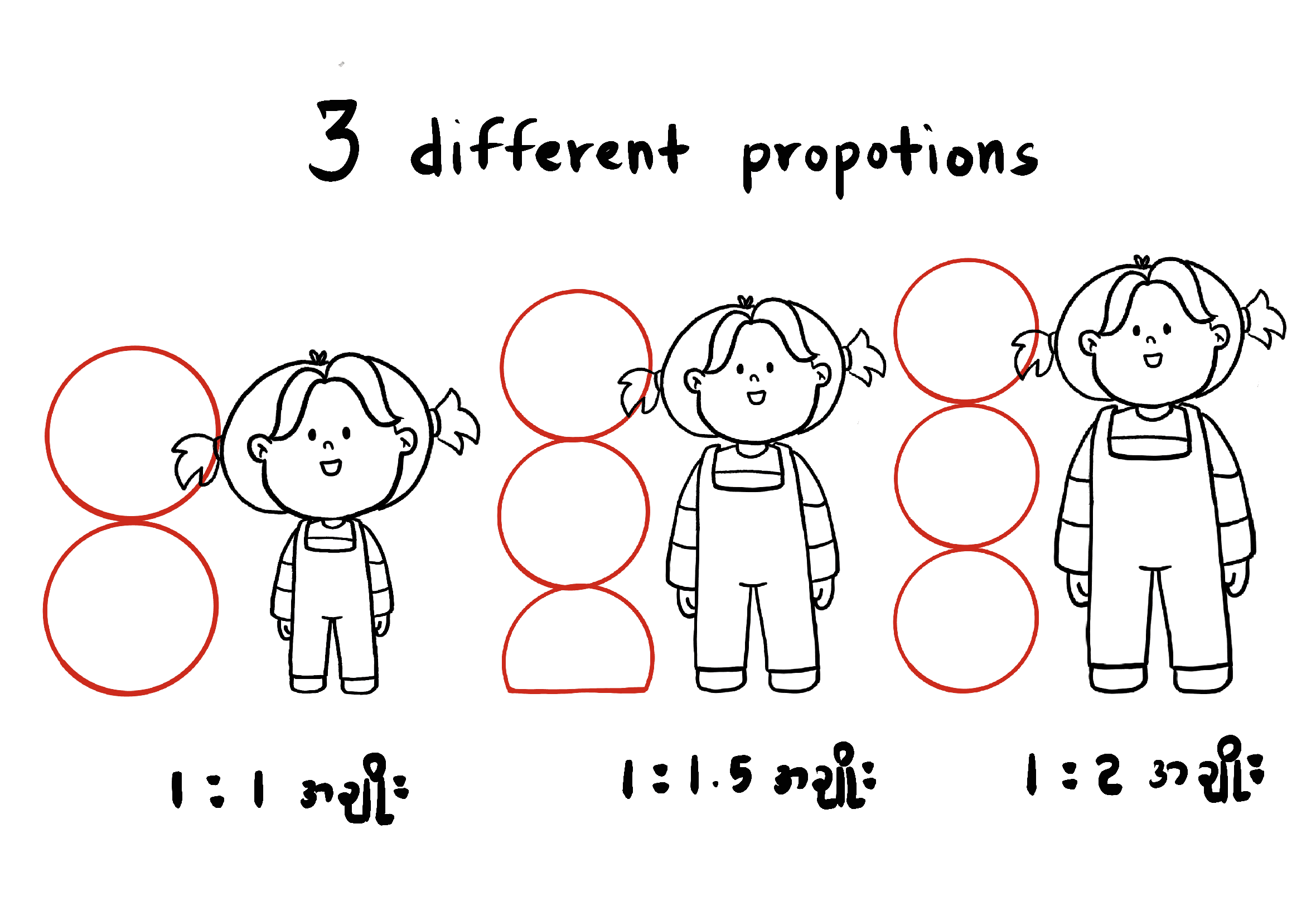
The Chibi art style was chosen because it is approachable, familiar, and easy to learn with just pencil and paper.
3. Ideating and Prototyping
I storyboarded every lesson like a comic to ensure it felt light and visual.
Designed mock lesson flows in Canva and Adobe Creative Cloud.
Created low-fidelity prototypes on Teachable for UX testing.
Ran pilot testing with 10 students to gather feedback on clarity, pacing, and engagement.
Iteration example:
Learners lost focus during long introductions, so I restructured lessons to start with a drawing demo instead of theory. Engagement doubled.
Solution and Implementation
The final product launched on Teachable and later expanded to YouTube to improve accessibility for low-bandwidth users.
Core Features:
8 bite-sized art lessons (under 5 minutes each)
Printable worksheets for offline learning
Facebook group for peer sharing and feedback
Optional live Q&A sessions on Zoom
Tools: Teachable · YouTube · Canva · Adobe Creative Cloud · Zoom · Google Forms · Facebook Groups
Impact
Metric | Goal | Outcome |
|---|---|---|
Enrollments | 500 | 1,600+ learners |
Completion Rate | 40% | 60%+ |
Shared Artworks | 50 | 100+ posts |
User Satisfaction | 80% | 95% positive feedback |
User Feedback:
“My daughter waits every week for the new drawing video.”
“This course helped me smile again.”
“We finally had something joyful to look forward to.”
The Facebook group evolved into an organic creative community where students encouraged each other and shared progress, turning the course into a living ecosystem of hope and connection.
Iteration and Learnings
Challenges Faced:
Teachable videos required more data than many learners could afford.
Sequential lesson flow limited flexibility and exploration.
Improvements Implemented:
Migrated all videos to YouTube for easier access.
Switched to open lesson navigation so students could choose lessons freely.
Introduced peer challenges and student shoutouts to sustain engagement.
Key Learnings:
Accessibility creates inclusion. Designing for constraints can reach more people than designing for ideal conditions.
Community drives retention more effectively than gamification.
Emotional design builds lasting connection and trust.
Reflection and Legacy
Chibi for Beginners was more than a creative project. It was a reminder of what design can do when everything else feels uncertain. Starting with live classes on Zoom and evolving into a full digital platform taught me how to lead a product from empathy to execution.
Working with limited resources and emotionally fragile learners helped me design with clarity, flexibility, and compassion. I learned that real impact doesn’t always mean large scale. Sometimes it’s about creating one small space where people can breathe, create, and feel seen again.
Even years later, the course continues to reach new learners through YouTube, proving that thoughtful design can live beyond its launch. This project reshaped how I approach every product, reminding me that meaningful design is never just about pixels or platforms, but about people finding hope through what we build together.